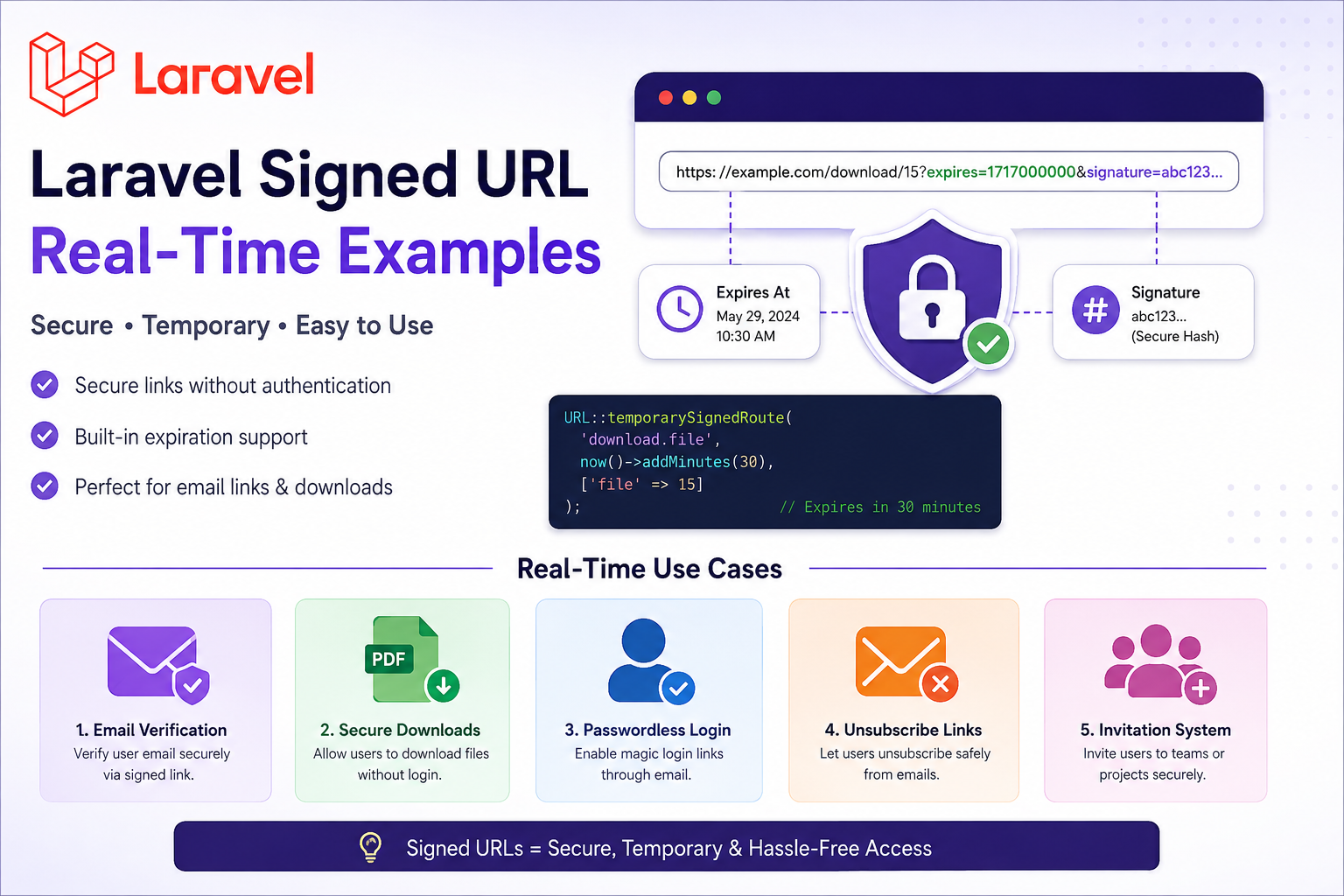
A Signed URL in Laravel is a secure URL that contains a signature hash. Laravel verifies this signature to ensure the URL:
- Was not modified
- Is valid
- Has not expired (for temporary signed URLs)
This is useful when you want to allow access to specific routes without authentication, but still keep them secure.
Laravel provides:
URL::signedRoute()URL::temporarySignedRoute()hasValidSignature()signedmiddleware
Why Use Signed URLs?
Signed URLs are commonly used for:
- Email verification links
- Passwordless login links
- Secure file downloads
- Unsubscribe email links
- Payment success verification
- Invitation systems
- Temporary document access
How Signed URLs Work
Laravel adds two parameters to the URL:
?expires=1746680000&signature=xxxxxxxxLaravel then checks:
- Is the signature correct?
- Has the URL expired?
- Was the URL modified?
If validation fails → Laravel returns 403 Invalid Signature.
Basic Signed URL Example
Route
Route::get('/profile/{id}', function ($id) {
    return "Secure Profile Access: " . $id;
})->name('profile.view');
Generate Signed URL
use Illuminate\Support\Facades\URL;

$url = URL::signedRoute('profile.view', [
    'id' => 10
]);

echo $url;
Generated URL:
http://example.com/profile/10?signature=abc123Validate Signed URL
Method 1 — Inside Controller
use Illuminate\Http\Request;

public function show(Request $request, $id)
{
    if (! $request->hasValidSignature()) {
        abort(403, 'Invalid or Expired URL');
    }

    return "Valid Signed URL for User " . $id;
}
Method 2 — Using Middleware (Recommended)
Route::get('/profile/{id}', function ($id) {
    return "Secure Profile";
})->middleware('signed');
Laravel automatically validates the signature.
Temporary Signed URL Example
Temporary signed URLs expire automatically.
Perfect for:
- Download links
- One-time access
- Secure invitations
Generate Temporary Signed URL
use Illuminate\Support\Facades\URL;
use Carbon\Carbon;

$url = URL::temporarySignedRoute(
    'download.file',
    Carbon::now()->addMinutes(30),
    ['file' => 15]
);

echo $url;
This link expires after 30 minutes.
Route
Route::get('/download/{file}', function ($file) {
    return "Downloading File ID: " . $file;
})->name('download.file')->middleware('signed');
Real-Time Example 1 — Email Verification
Laravel uses signed URLs internally for email verification.
Generate Verification Link
$url = URL::temporarySignedRoute(
    'verification.verify',
    now()->addMinutes(60),
    [
        'id' => $user->id,
        'hash' => sha1($user->email),
    ]
);
Verification Route
Route::get('/email/verify/{id}/{hash}', function () {
    return "Email Verified";
})->middleware(['signed'])->name('verification.verify');
Real-Time Example 2 — Secure PDF Download
Allow users to download invoices without login.
Generate URL
$url = URL::temporarySignedRoute(
    'invoice.download',
    now()->addMinutes(10),
    ['invoice' => 101]
);
Route
Route::get('/invoice/{invoice}', function ($invoice) {

    $path = storage_path('app/invoices/sample.pdf');

    return response()->download($path);

})->middleware('signed')->name('invoice.download');
Real-Time Example 3 — Passwordless Login
Users click an email link and login automatically.
Generate Login Link
$url = URL::temporarySignedRoute(
    'magic.login',
    now()->addMinutes(5),
    ['user' => $user->id]
);
Route
use Illuminate\Support\Facades\Auth;

Route::get('/magic-login/{user}', function ($user) {

    $user = App\Models\User::findOrFail($user);

    Auth::login($user);

    return redirect('/dashboard');

})->middleware('signed')->name('magic.login');
Real-Time Example 4 — Unsubscribe Email Link
Very common in email marketing systems.
Generate Link
$url = URL::temporarySignedRoute(
    'unsubscribe',
    now()->addDays(7),
    ['email' => $subscriber->email]
);
Route
Route::get('/unsubscribe', function (Request $request) {

    $email = $request->email;

    // Update subscriber status

    return "You have unsubscribed.";

})->middleware('signed')->name('unsubscribe');
Real-Time Example 5 — Invitation System
Invite users securely to a project/team.
Generate Invitation Link
$url = URL::temporarySignedRoute(
    'team.invite',
    now()->addDays(2),
    [
        'team' => 5,
        'email' => 'user@example.com'
    ]
);
Route
Route::get('/team/invite', function (Request $request) {

    return "Invitation Accepted";

})->middleware('signed')->name('team.invite');
Ignoring Parameters in Signature Validation
Sometimes frontend apps add extra query parameters.
Laravel allows ignoring them.
Example
if (! $request->hasValidSignatureWhileIgnoring(['page'])) {
    abort(403);
}
Custom Invalid Signature Page
In bootstrap/app.php
use Illuminate\Routing\Exceptions\InvalidSignatureException;

->withExceptions(function ($exceptions) {

    $exceptions->render(function (
        InvalidSignatureException $e,
        $request
    ) {

        return response()->view(
            'errors.link-expired',
            [],
            403
        );

    });

})
Security Best Practices
Always Use Temporary Signed URLs
Prefer:
URL::temporarySignedRoute()Instead of permanent signed URLs.
Use HTTPS
Signed URLs should always be served over HTTPS.
Keep Expiration Short
Examples:
- 5 minutes
- 15 minutes
- 1 hour
Avoid long expiration periods.
Never Expose Sensitive Data
Bad:
/user?password=123456Good:
/user?id=10Common Errors
1. Invalid Signature
Causes:
- URL modified
- Wrong APP_URL
- Missing parameters
2. Expired Link
Temporary signed URL expired.
3. APP_URL Mismatch
Ensure .env has correct URL:
APP_URL=https://yourdomain.comDifference Between Signed URL and Auth Middleware
| Feature | Signed URL | Auth Middleware |
|---|---|---|
| Requires Login | No | Yes |
| Secure Access | Yes | Yes |
| Expiration Support | Yes | No |
| Email Link Friendly | Yes | No |
| Temporary Access | Excellent | Limited |
Best Use Cases
| Use Case | Recommended |
|---|---|
| Email Verification | ✅ |
| File Downloads | ✅ |
| Magic Login | ✅ |
| Payment Callback | ✅ |
| Public API Security | ✅ |
| Admin Dashboard | ❌ |