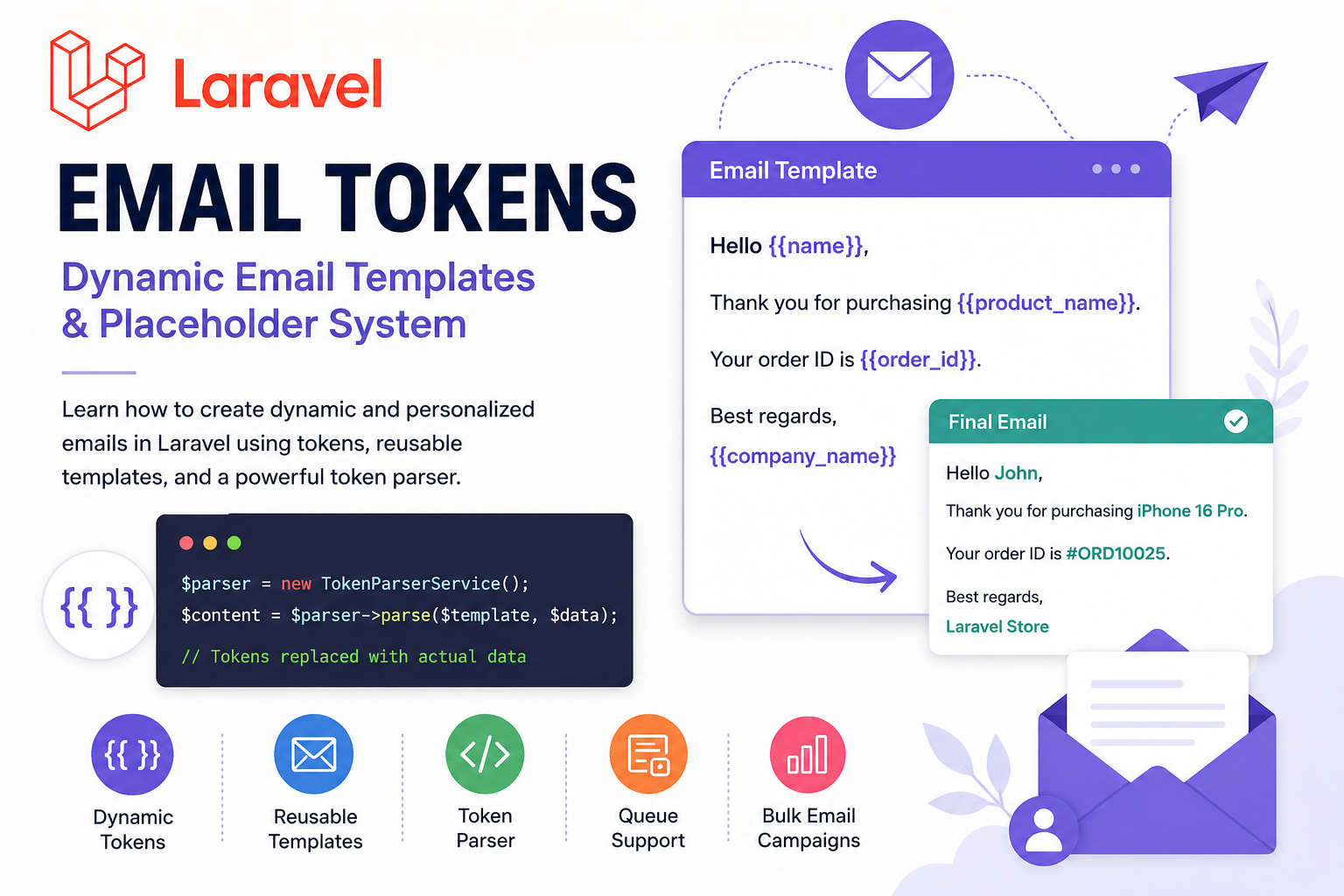
If you’re building an email campaign system, notification module, CRM, or marketing automation platform in Laravel, Email Tokens are one of the most powerful features you can implement.
Email tokens allow you to dynamically replace placeholders like:
{{name}}
{{email}}
{{company_name}}
{{product_title}}
with real user or product data before sending emails.
This guide explains how to build a scalable Email Token system in Laravel with examples, database structure, dynamic replacements, and best practices.
What Are Email Tokens?
Email Tokens are dynamic placeholders used inside email templates.
Example:
Hello {{name}},

Thank you for purchasing {{product_name}}.

Your order ID is {{order_id}}.
Before sending the email, Laravel replaces those tokens with actual data.
Final Output:
Hello John,

Thank you for purchasing iPhone 16 Pro.

Your order ID is #ORD10025
Why Use Email Tokens?
Using tokens makes your emails:
- Dynamic
- Personalized
- Reusable
- Easy to manage
- Scalable for bulk campaigns
Real-World Use Cases
Marketing Emails
Hi {{name}},
Check out our new offers on {{category_name}}.
Order Emails
Your order {{order_id}} has been shipped.Seller Campaigns
Hello {{buyer_name}},
{{seller_name}} has sent you a new offer.
Event Invitations
Dear {{visitor_name}},
Your visitor pass for {{event_name}} is ready.
Laravel Email Token Architecture
A production-ready token system usually contains:
| Component | Purpose |
|---|---|
| Email Templates | Stores email content |
| Tokens Table | Stores allowed tokens |
| Token Parser | Replaces placeholders |
| Campaign System | Sends bulk emails |
| Queue Jobs | Handles background sending |
Database Structure
Email Templates Table
Schema::create('email_templates', function (Blueprint $table) {
    $table->id();
    $table->string('name');
    $table->string('subject');
    $table->longText('body');
    $table->timestamps();
});
Tokens Table
Schema::create('tokens', function (Blueprint $table) {
    $table->id();
    $table->string('name');
    $table->string('key')->unique();
    $table->text('description')->nullable();
    $table->timestamps();
});
Example Tokens
| Token | Description |
|---|---|
{{name}} | User Name |
{{email}} | User Email |
{{company_name}} | Company Name |
{{product_name}} | Product Title |
{{phone}} | Mobile Number |
Creating the Token Replacement Service
Create a helper service:
php artisan make:service TokenParserServiceToken Parser Service Example
<?php

namespace App\Services;

class TokenParserService
{
    public function parse($content, $data = [])
    {
        foreach ($data as $key => $value) {
            $content = str_replace(
                '{{' . $key . '}}',
                $value,
                $content
            );
        }

        return $content;
    }
}
Using the Service
$template = "
Hello {{name}},

Welcome to {{company_name}}
";

$data = [
    'name' => 'Nanda Kumar',
    'company_name' => 'Wello Tree'
];

$parser = new TokenParserService();

$result = $parser->parse($template, $data);

echo $result;
Output
Hello Nanda Kumar,

Welcome to Wello Tree
Sending Email with Tokens in Laravel
Mail Class Example
php artisan make:mail CampaignMailCampaignMail.php
<?php

namespace App\Mail;

use Illuminate\Mail\Mailable;

class CampaignMail extends Mailable
{
    public $subjectText;
    public $bodyContent;

    public function __construct($subjectText, $bodyContent)
    {
        $this->subjectText = $subjectText;
        $this->bodyContent = $bodyContent;
    }

    public function build()
    {
        return $this
            ->subject($this->subjectText)
            ->view('emails.campaign');
    }
}
Blade Email View
{!! $bodyContent !!}Controller Example
use App\Services\TokenParserService;
use App\Mail\CampaignMail;
use Illuminate\Support\Facades\Mail;

public function sendEmail()
{
    $template = EmailTemplate::find(1);

    $data = [
        'name' => 'John',
        'company_name' => 'Laravel Store',
        'product_name' => 'Gaming Laptop'
    ];

    $parser = new TokenParserService();

    $subject = $parser->parse(
        $template->subject,
        $data
    );

    $body = $parser->parse(
        $template->body,
        $data
    );

    Mail::to('john@example.com')
        ->send(new CampaignMail($subject, $body));
}
Advanced Token System
You can also support:
Nested Tokens
{{user.name}}
{{company.title}}
Product Tokens
{{product.price}}
{{product.url}}
Date Tokens
{{current_date}}Regex-Based Dynamic Parsing
Instead of simple str_replace, you can use regex.
preg_match_all('/{{(.*?)}}/', $content, $matches);This helps detect missing tokens and validate placeholders.
Prevent Invalid Tokens
Best practice:
- Store allowed tokens in DB
- Validate before saving template
- Show available tokens in UI
Example:
Available Tokens:
{{name}}
{{email}}
{{company_name}}
Bulk Email Sending with Queues
For large campaigns:
- Never send directly in controller
- Use queues/jobs
- Send in batches
Queue Example
php artisan make:job SendCampaignEmailJobDispatch Job
SendCampaignEmailJob::dispatch($campaign);Why Queues Matter
Without queues:
- Server timeout
- Memory issues
- Slow response
With queues:
- Faster processing
- Better scalability
- Retry failed emails
Best Practices
Use HTML Sanitization
Prevent malicious scripts in templates.
Validate Tokens
Only allow registered placeholders.
Add Test Email Feature
Before sending bulk emails:
Send Test Emailto verify formatting.
Store Email Logs
Track:
- Sent
- Failed
- Opened
- Clicked
Recommended Laravel Structure
app/
 ├── Mail/
 ├── Services/
 │     └── TokenParserService.php
 ├── Jobs/
 ├── Models/
 └── Http/Controllers/
Conclusion
Laravel Email Tokens make your email system dynamic, reusable, and scalable.
Whether you’re building:
- CRM software
- SaaS platforms
- Marketing systems
- Bulk email campaigns
- WooCommerce integrations
- Seller promotion modules
a proper token architecture helps deliver highly personalized emails efficiently.
Using Laravel services, queues, mailables, and token parsers, you can create a production-ready email system that scales smoothly for thousands of emails.
Bonus Tip
You can extend this system further with:
- Drag-and-drop email builders
- AI-generated email templates
- Open/click tracking
- Scheduled campaigns
- Multi-language token support
- Product recommendation tokens
- Seller profile tokens
to create a complete Email Marketing Platform in Laravel.
Frequently Asked Questions (FAQ)
Email Tokens are dynamic placeholders like {{name}} or {{email}} used inside email templates. Laravel replaces these placeholders with real user or product data before sending the email.
Email Tokens help create personalized and reusable email templates for:
- Marketing campaigns
- Order notifications
- OTP emails
- Welcome emails
- Seller promotions
They reduce duplicate templates and improve email automation.
Laravel typically uses str_replace() or regex-based parsing to replace tokens with actual values.
Example:
$content = str_replace('{{name}}', 'John', $template);For advanced systems, developers usually create a custom TokenParserService.
Yes. Laravel Email Tokens are commonly used in bulk email systems with queues and jobs. Each email can contain personalized data for different users while using the same template.
Best practices include:
- Validate allowed tokens
- Store templates in database
- Use Laravel queues for sending
- Sanitize HTML content
- Track email logs and failures
- Add test email functionality before campaigns